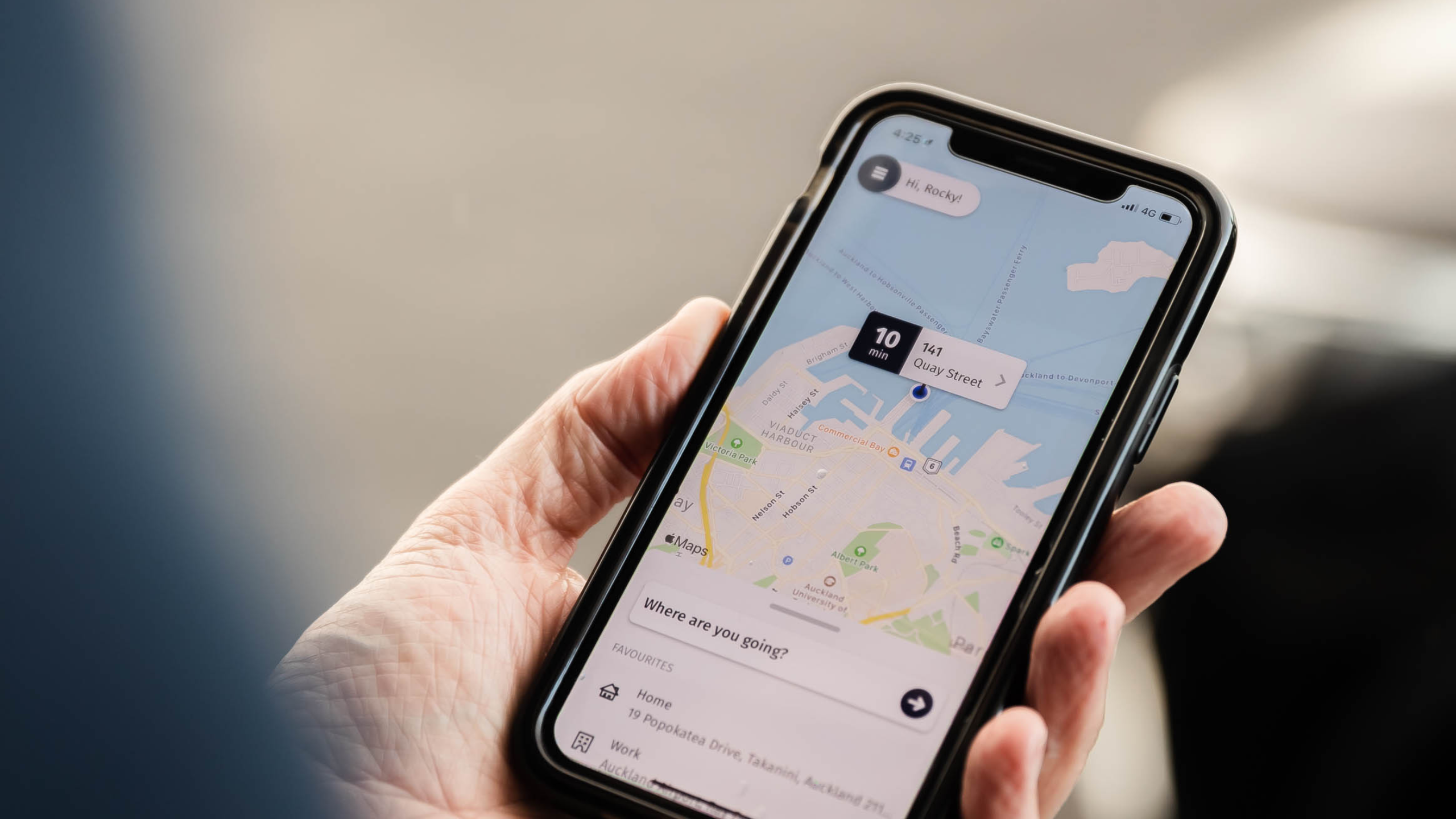
Getting to the airport should be the easy part of your trip. Whether you’re catching an early flight, heading away for a client meeting, or arranging a ride home for a colleague landing late, the Corporate Cabs taxi app puts reliable, professional transport in your pocket.
The app is available on the Apple App Store and Google Play. You can book in advance, the morning of, or while you’re out and about. Prefer a bigger screen? You can do everything through the Corporate Cabs online booking portal too. Here’s how the app works, why it makes airport taxi booking easier, and how to prebook your next airport transfer in a few taps.
Why Use a Taxi App to Book Your Ride?
Phoning for a cab and hoping it turns up on time is not how anyone wants to start a trip. A dedicated taxi app gives you control. You choose the pickup time, the vehicle and how you pay, then watch your driver’s progress in real time. For busy professionals, that certainty matters. You know your ride is booked, you know when it will arrive, and you have a record of every trip for your expenses. No guesswork, no waiting on hold.
Key Features of the Corporate Cabs Taxi App
The Corporate Cabs app is built around how people actually travel, whether that’s a one-off airport run or a regular commute between meetings.
- Schedule bookings in advance: lock in your ride days or weeks ahead.
- Choose your preferred vehicle: pick the vehicle that suits your passengers and luggage.
- Live driver updates: see your driver’s location and estimated arrival time.
- Multiple payment options: pay by credit card or charge the trip to your company account.
- Smart time-savers: saved addresses, frequent passengers and one-click repeat bookings.
- Complete booking management: create, edit or cancel bookings anytime from your dashboard.
Airport Taxi Booking in a Few Taps
Airport taxi booking is where the app earns its place on your home screen. Instead of organising transport the night before, you can book your airport taxi the moment your flights are confirmed. Open the app, enter your pickup address (or choose a saved one), set the airport as your destination and pick your time. Select your vehicle, confirm your payment method, and you’re done. On the day, you’ll get live updates showing where your driver is and when they’ll arrive, so you’re not standing at the window wondering.
Airport Transfer Prebooking: Lock It In Early
Airport transfer prebooking takes the pressure off travel days. It’s especially worth doing when:
- You’re on an early flight. Your ride is confirmed before you go to bed.
- You’re travelling at peak times. Holiday periods and Monday mornings get busy.
- You have extra passengers or luggage. Book the right vehicle size in advance.
- You’re booking for someone else. Arrange a transfer for a visiting client or a team member and add them as a frequent passenger for next time.
When you prebook your outbound airport transfer, book your return pickup at the same time. Coming home is then sorted before you’ve even left.
Built for Business Travel
Corporate Cabs is trusted by thousands of corporate and individual clients across New Zealand, and the app is designed with business travel in mind. With a profile, you can book directly to your company account using custom cost codes, so every trip lands in the right budget without extra admin. Paying personally? Your credit card is charged automatically at the end of each trip, with no cash needed. You can download PDF receipts instantly for every credit card booking, which makes expense claims quick. For executive assistants and travel coordinators, saved frequent passengers and one-click repeat bookings mean you can arrange rides for the whole team without re-entering the same details every time.
Prefer to Book Online? Use the Booking Portal
Not everyone wants to book on their phone, especially when organising transport from a desk. The Corporate Cabs online booking portal gives you the same features in your browser: schedule bookings, manage your upcoming trips, apply cost codes and download receipts. Your profile works across both, so you can book on the portal at your desk and track the ride in the app on the day.
How to Get Started
- Download the app from the Apple App Store or Google Play, or open the online booking portal.
- Create your profile in a couple of minutes.
- Add your payment method or link your corporate account and cost codes.
- Save your regular addresses, such as home, office and the airport.
- Book your first ride and track your driver live.
Your next airport transfer is only a few taps away. Got a question first? Check the FAQs below.
Frequently Asked Questions
- What is the Corporate Cabs taxi app? It’s the official Corporate Cabs booking app. It lets you schedule rides in advance, choose your vehicle, track your driver live and pay by credit card or company account.
- Where can I download the Corporate Cabs app? The app is available on the Apple App Store for iPhone and on Google Play for Android devices.
- Can I book an airport taxi in advance? Yes. Airport taxi booking is one of the app’s main uses. You can schedule your airport taxi days or weeks ahead and manage the booking from your dashboard.
- How far ahead should I prebook my airport transfer? As soon as your flight times are confirmed. Airport transfer prebooking is especially worthwhile for early-morning flights, peak travel periods and trips with extra passengers or luggage.
- Can I book online instead of using the app? Yes. The Corporate Cabs online booking portal offers the same booking and account features in your browser, and your profile works across both.
- Can I track my driver? Yes. The app shows your driver’s live location and estimated arrival time, so you know exactly when to head out.
- What payment options are available? You can pay by credit card, which is charged automatically at the end of each trip, or book directly to your company account using custom cost codes.
- Can I get receipts for expense claims? Yes. You can download PDF receipts instantly for all credit card bookings.
- Can I book a taxi for someone else? Yes. Save colleagues or clients as frequent passengers, then book for them in a few taps, which is ideal for executive assistants and travel coordinators.
- Can I change or cancel my booking? Yes. You can create, edit or cancel bookings anytime from your dashboard in the app or online portal.
Download the App
Book your journey, check its status and make changes, all in the app.
- Get it on Google Play · Download on the App Store
- Prefer your desktop? Book online through the Corporate Cabs web portal.